

Most people assume that if they have a powerful wall brick and a modern phone, fast charging is guaranteed. However, the reality of type c usb charging is much more complex. In the sections below, we will break down the "digital handshake" between devices, why most type c cords act as a bottleneck for laptops, and how to identify a cable that actually supports high-speed power delivery.
The truth is that a usb c charger is only as capable as the cable connected to it. If you’ve ever noticed your device "trickle charging" despite using an expensive adapter, you are likely dealing with a hardware mismatch.
The Invisible Logic of USB-C
In simple terms, a usb c charging cable is no longer just a bundle of wires; it is an active participant in the charging process. Modern devices use a protocol called Power Delivery (PD). Before any high-voltage electricity flows, the charger and the device have a conversation to determine the safe limit.
As we understand this now, the cable acts as the moderator in this conversation. High-quality pd compatible usb c cable options contain an "E-Marker" chip. The main reason to consider the technical specifications before you purchase a USB C charging cable (for example, the Power Delivery rating and wattage) is that no cable can provide a charging rate faster than its Technical Specs regardless of how good the appearance of the cable’s outer braid may look.
Why Laptops and Phones Have Different Needs
Not every usb c charging cable is built to handle the same amount of current. While a usb c cable for phone and tablet use might only need to carry 20W to 30W, a usb c cable for laptop hardware often needs to sustain 65W, 100W, or even 140W for hours at a time.
Now we have come to this point where "Fast Charging" has become a vague marketing term. For a laptop, you specifically need a high watt usb c cable. When thin copper wires are used to connect to your laptop, those wires have a higher resistance, and therefore create more heat. The high resistance of a charging cable will result in the drop of a voltage significantly enough that a laptop will interpret this drop in voltage to be due to a source of "unstable power". This causes the laptop to throttle back on the amount of charge delivered to the internal battery, thus protecting it.
The Problem with Length and Resistance
When you opt for a long usb c cable, you are fighting physics. Electricity loses energy as it travels over distance. In simple terms, a 3-meter cable has more resistance than a 1-meter cable.
To maintain speed over a long distance, a fast charging usb c cable must be engineered with thicker internal wiring. Many "budget" long cables use thin wires to save on costs, which is why they might work for a slow overnight charge but fail to power a device while it’s in active use. As we understand this now, if you need distance, you cannot compromise on the quality of the internal conductors.
Identifying a "Durable" vs. "Capable" Cable
There is a common misconception that a braided, durable usb c charging cable is automatically a fast one. While the rugged outer casing ensures your cable can handle physical shocks, it does not indicate the quality of the electronics contained within.
The USB-C to USB-C cable is capable of pulling a car yet slowly charging my Macbook due to the lack of wires capable of carrying enough current (5 Amps or more) for quick charging.
Why Heat is the Enemy of Speed
Energy is lost in the form of heat when you see your USB type-C charging cable close to the connector feeling warm near the connection point. Now we have come to the realization that heat is the primary reason chargers "slow down" mid-cycle.
Modern chargers and cables have thermal sensors. If the connection point gets too hot due to poor fit or low-quality materials, the system will automatically drop the wattage. Using a pd compatible usb c cable ensures that the connection remains efficient and cool, allowing the "Fast Charge" phase to last much longer before the device begins its natural taper.
Checking Your Setup for Compatibility
To maximise the potential of your hardware, you will need to ensure that every link in the chain matches.
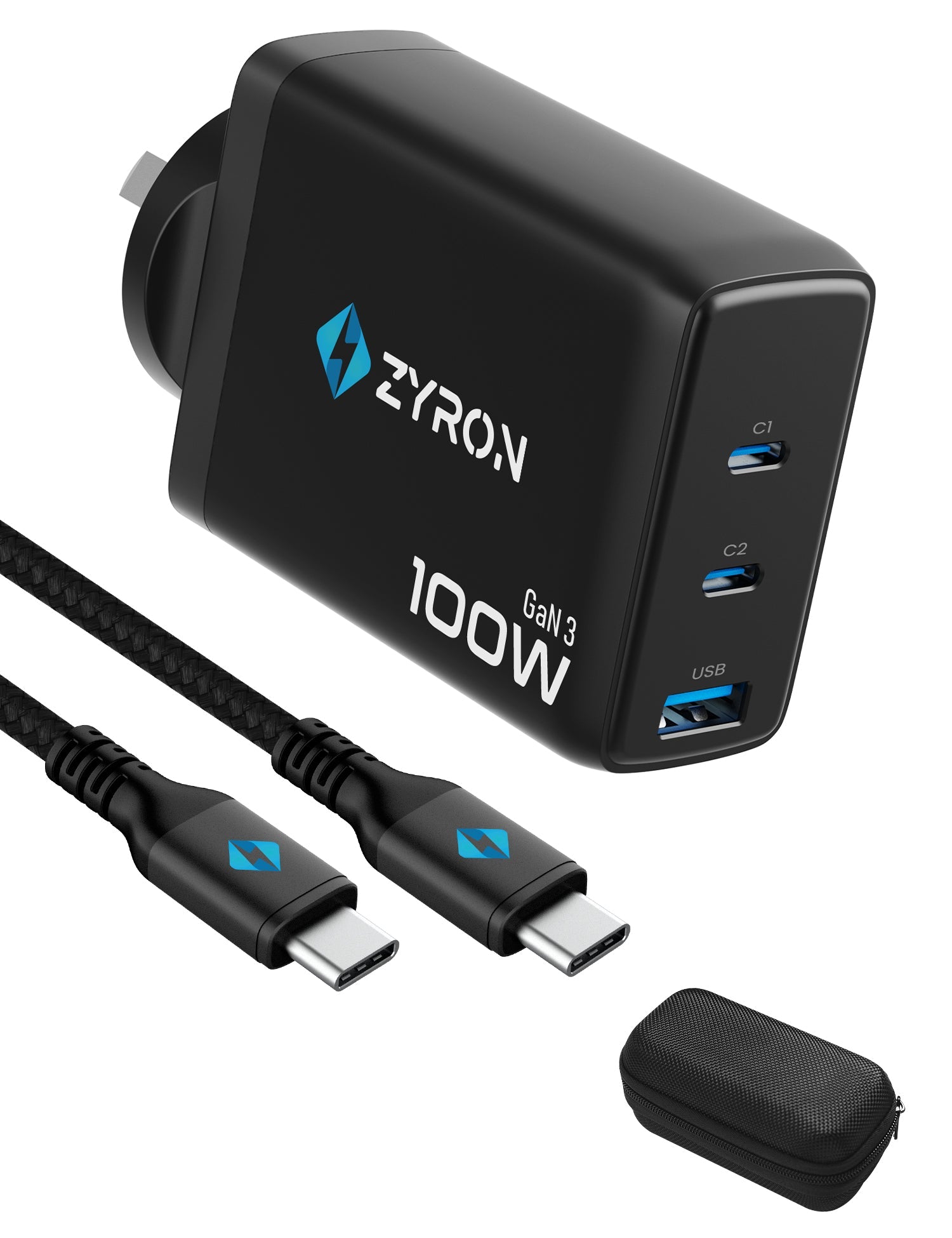
- The Source: A GaN-based usb c charger offers the best efficiency.
- The Link: A usb c to usb c cable rated for at least the maximum wattage of your device.
- The Handshake: Ensuring the cable is a pd compatible usb c cable for any device requiring more than 15W.
In simple terms, you are looking for a "balanced" system. Plugging a 100W charger into a 20W cable to charge a 60W laptop will always result in 20W charging. The cable is the gatekeeper.
Summary of Technical Expectations
The world of type c usb charging is moving toward a single-cable future, but we aren't quite there yet. Until then, the burden is on the user to match the cable to the task.
If you are tired of the "Slow Charging" notification, the solution is rarely a new phone or a new wall plug. It is usually about replacing the low-bandwidth wire with a high-quality USB-C cable that can actually handle the conversation between your devices.
As we understand this now, quality in the world of power isn't about the fluff; it’s about the gauge of the copper and the intelligence of the chip inside. Once you align those, the "slow charging" problem effectively disappears.




Leave a comment
All comments are moderated before being published.
This site is protected by hCaptcha and the hCaptcha Privacy Policy and Terms of Service apply.