

The vision of a single-cable life—where one cord powers your MacBook, your iPad, and your iPhone—is finally a reality. For years, Apple users navigated a complex ecosystem of proprietary connectors, but the landscape has fundamentally shifted. Whether you are upgrading to the latest device or looking to optimize your existing charging setup, understanding the move from Lightning to USB-C is essential for maintaining your hardware, protecting your battery health, and decluttering your workspace. This guide breaks down the transition, provides clarity on current standards, and offers a strategic approach to managing your charging accessories.
Understanding the Big Shift: Why Apple Moved to USB-C
The End of the Proprietary Era: From 30-Pin to Lightning to USB-C
Apple’s history is marked by distinct eras of connectivity. The original 30-pin connector served the early years of the iPod and iPhone, eventually giving way to the Lightning cable in 2012. Lightning was a triumph of design—slim, reversible, and durable. However, as the broader tech industry moved toward the universal USB-C standard, Apple’s proprietary connector became an outlier, creating friction for users who had to carry multiple types of cables for their various gadgets. The transition to USB-C represents the final step toward true ecosystem compatibility.
The Role of the European Union Mandate in Standardizing Charging
The shift was not purely organic; it was catalyzed by regulatory pressure. The European Union’s mandate requiring a common charging port for small electronic devices aimed to reduce electronic waste and improve user convenience. By forcing manufacturers to adopt a universal standard, the EU effectively signaled the end of the Lightning era, pushing Apple to integrate the USB-C port into the iPhone 15 series and beyond, aligning their mobile hardware with the rest of the modern computing world.
Why the Transition Benefits the User: Universality and Performance
This transition is a major win for consumers. Beyond the convenience of carrying one cable for your laptop and phone, USB-C offers superior technical performance. It supports higher power delivery for faster charging and significantly faster data transfer speeds, especially on professional models. This move simplifies your life, reduces the need for constant adapter swapping, and contributes to a more sustainable, long-term approach to technology ownership.
Which Port Does Your iPhone Have? A Quick Compatibility Matrix

Compatibility matrix comparing the legacy Lightning ecosystem to the modern USB-C standard.
The Lightning Generation: iPhone 5 through iPhone 14 Series
If your device is an iPhone 5 through the iPhone 14 lineup, you are using the Lightning ecosystem. These devices require a Lightning cable for charging and data synchronization. While incredibly reliable, these devices are limited by the physical constraints of the Lightning interface, which historically topped out at USB 2.0 data speeds, regardless of the quality of the cable used.
The USB-C Era: iPhone 15, iPhone 16, and Future Models
Starting with the iPhone 15, Apple officially transitioned to the USB-C port. If you own an iPhone 15, 16, or any subsequent model, you no longer need Lightning cables. These devices use a standard USB-C cable, allowing them to draw power from the same power adapter used for modern iPads and MacBooks. This creates a unified charging experience that is more flexible and future-proof.
Visual Identification: How to Tell the Difference at a Glance
Identifying your port is straightforward. A Lightning port is a thin, wide slit with a small metallic tongue visible inside the connector. A USB-C port, by contrast, is more pill-shaped and features a central "bridge" piece that is part of the cable itself, not the phone. If you are unsure, simply look at the bottom of your device: if the port is flat and slightly oval-shaped with a centered contact, you have USB-C.
Deep Dive: The Lightning Connector Legacy
Understanding the 8-Pin Digital Connector
The Lightning connector was a sophisticated piece of engineering that used an 8-pin digital design. Its primary benefit was its "flippability"—it worked regardless of which side faced up. This was a massive improvement over older USB standards of the time. It carried power, audio, and data signals, making it an all-in-one solution for the iPhone's compact architecture.
Why MFi (Made for iPhone/iPad/iPod) Certification is Non-Negotiable
Because Lightning was a proprietary standard, Apple implemented "MFi" (Made for iPhone) certification. This ensured that third-party accessories met strict quality control standards. Using non-certified, cheap cables often leads to "Accessory Not Supported" errors, erratic charging, or even short-circuiting that can damage your device’s internal charging IC. MFi serves as an insurance policy for your hardware.
Legacy Cable Variants: USB-A to Lightning vs. USB-C to Lightning
Throughout the Lightning era, users navigated two primary cable types: the older USB-A to Lightning and the newer USB-C to Lightning cable. The latter became the gold standard for those who wanted to utilize fast charging via a modern USB-C power adapter. Transitioning to a USB-C to Lightning cable was the first step toward the modern, high-speed ecosystem many users adopted before USB-C was even added to the iPhone itself.
Deep Dive: The USB-C Port and Its Advantages
Reversibility and Durability: The Physical Benefits of USB Type-C
USB-C is widely considered the most robust connector standard ever created. It is fully reversible, just like Lightning, but it is built to endure thousands of insertion cycles. The physical design of the port is better shielded, and the cables themselves are often thicker and more durable than their predecessors, making them less prone to the fraying often seen at the connector head of Lightning cables.
Data Transfer Speeds: USB 2.0 vs. USB 3.0 and the Pro Model Difference
Here is where the Pro-level differentiation becomes clear. While all iPhones with USB-C ports can charge, the data transfer speeds vary. The base iPhone models typically support USB 2.0 speeds (480 Mbps), whereas the iPhone Pro models support much faster USB 3.0 speeds (up to 10 Gbps). If you are a professional who transfers large ProRes video files from your phone to a computer, using a high-quality, high-speed USB-C cable is non-negotiable.
Ecosystem Synergy: Charging MacBooks, iPads, and iPhones with One Cable
The ultimate benefit of USB-C is the ability to use a single cable for your entire Apple collection. A high-wattage USB-C cable that charges your MacBook Pro can safely charge your iPhone 15 or 16 because of the smart negotiation protocols built into the standard. This synergy eliminates the "cable clutter" that defined the last decade of tech.
Fast Charging Explained: It’s More Than Just the Cable
What is USB Power Delivery (USB-PD)?
USB Power Delivery is the communication protocol that allows a charger and your device to negotiate the optimal voltage and amperage. Instead of dumping power indiscriminately, your iPhone and the power adapter "talk" to one another to ensure the fastest, safest charge possible. This is the foundation of modern fast charging.
Choosing the Right Power Adapter: Why the 5W "Sugar Cube" is Obsolete
Many users still have the old 5W "sugar cube" adapters in their junk drawers. These are essentially obsolete. They lack the Power Delivery negotiation required for modern iPhones and result in extremely slow charging times. Investing in a 20W, 30W, or even 65W GaN (Gallium Nitride) charger will significantly reduce your time spent tethered to an outlet.
Identifying Fast-Charging Requirements for Different iPhone Generations
To achieve fast charging, you generally need an adapter that supports at least 20W of power. For older iPhones, a USB-C to Lightning cable 2m paired with a 20W+ USB-C adapter is required. For the newer iPhone 15 and 16 models, a USB-C to USB-C cable is all that is needed to engage these fast-charging protocols, provided your power brick is rated sufficiently.
Navigating the Transition: Adapters and "The Junk Drawer" Problem
Using USB-C to Lightning Adapters for Legacy Accessories
If you are heavily invested in Lightning accessories—such as wired headphones, car mounts, or specialized hardware—you don't necessarily need to discard them. A small USB-C to Lightning adapter can bridge the gap, allowing you to use your legacy accessories with your new USB-C iPhone. However, use these sparingly, as they can sometimes interfere with data transfer speeds or audio quality.
Upgrading Your Power Brick: Moving from USB-A to USB-C Ports
If you have a collection of old USB-A power bricks, it is time to audit your inventory. Most modern high-speed cables now terminate in USB-C at both ends. Replacing your old USB-A chargers with a multi-port USB-C wall charger is a highly efficient way to consolidate your charging station.
Solving Cable Clutter with Multi-Port Charging Hubs
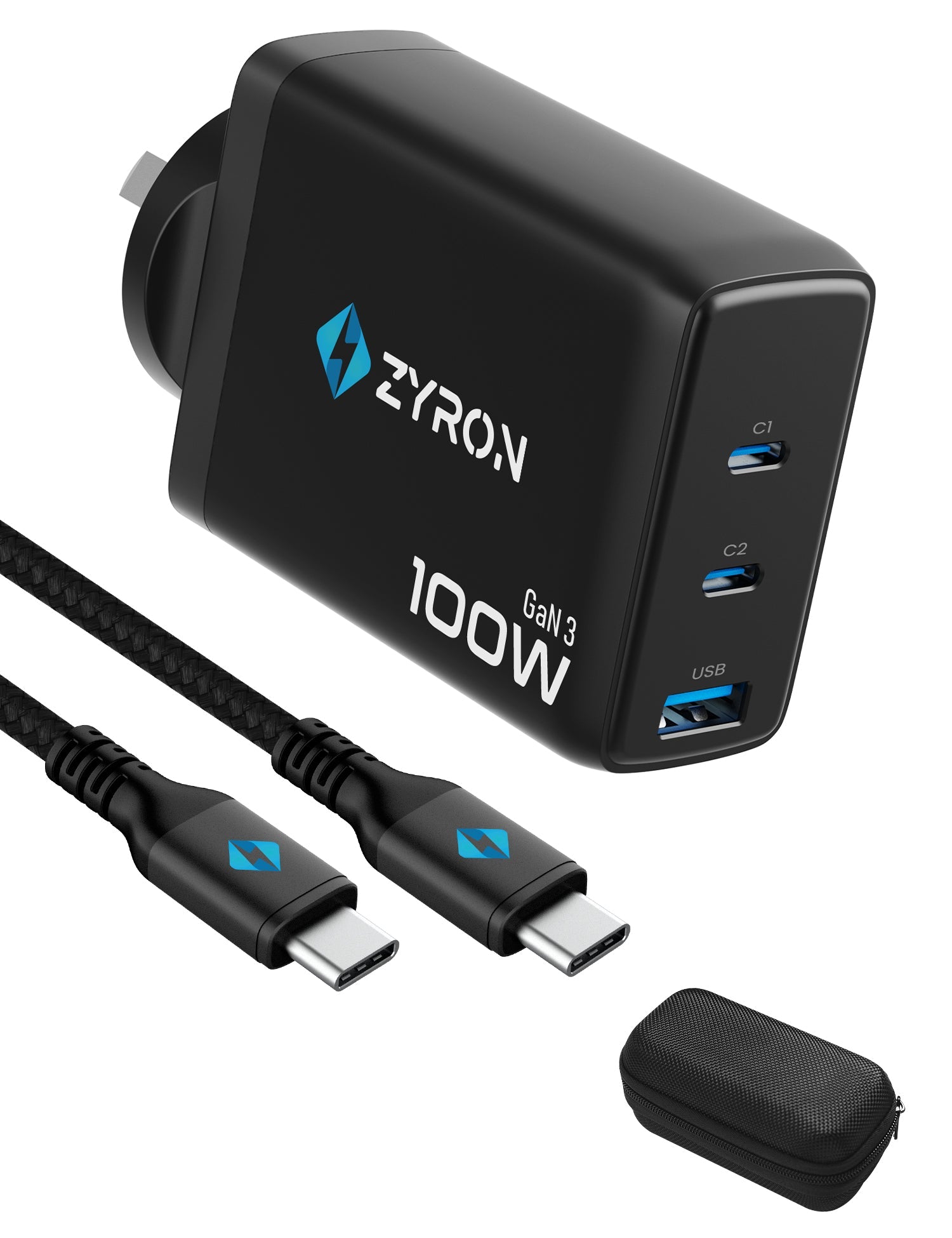
For power users, a multi-port charging hub is the ultimate organizational tool. These devices feature multiple USB-C ports and can intelligently distribute power among a phone, a tablet, and a laptop simultaneously. By choosing a high-wattage hub, you can clear out the mass of tangled wires and dedicate a single, clean station for all your daily needs.
Protecting Your Investment: Battery Health and Safety
How High-Quality Accessories Prevent Heat Buildup and Degradation
Heat is the enemy of lithium-ion batteries. Poorly designed, cheap cables lack the proper shielding and gauge to handle sustained power delivery, which causes them to heat up. This heat is transferred directly to your iPhone’s battery, accelerating chemical degradation and reducing your total battery lifespan. Quality accessories are an investment in the longevity of your phone’s internal components.
The Dangers of Non-Certified "Gas Station" Chargers
Steer clear of "gas station" chargers or unbranded, suspiciously cheap knock-offs. These devices often lack essential safety circuitry and fail to properly regulate voltage. A power surge from a non-certified adapter can literally fry your iPhone’s charging chip. If a price seems too good to be true, it is likely compromising safety standards that are essential for protecting your expensive device.
Smart Chips and Safety Standards: Understanding IEC/UL 60950-1 and 62368-1
Reputable manufacturers certify their products against international safety standards like IEC/UL 60950-1 or the newer 62368-1. These standards ensure the hardware can withstand over-voltage, short-circuiting, and thermal runaway. Always look for these logos on the packaging of your power adapters; they indicate that the manufacturer has prioritized your safety and the health of your equipment.
Software Features: Optimized Battery Charging and Charge Limits
Beyond hardware, iOS provides powerful software tools to protect your battery. Features like "Optimized Battery Charging" learn your daily routine to prevent the phone from sitting at 100% for long periods. Newer models also offer "80% limit" settings, which can significantly extend the overall lifespan of the battery by reducing the stress associated with reaching a full charge. Combining these software features with a high-quality charging setup is the best way to maximize your iPhone’s longevity.
Conclusion
The transition from Lightning to USB-C is more than just a change in shape; it is an evolution toward a more efficient, standardized, and user-friendly ecosystem. By understanding the differences between these ports, investing in high-quality, MFi-certified or safety-tested USB-C cables, and moving away from antiquated USB-A power adapters, you can significantly enhance your daily charging experience.
To successfully implement this transition:
- Audit your current setup: Retire 5W USB-A blocks and non-certified cables.
- Standardize your hardware: Gradually replace legacy cables with high-quality USB-C to USB-C options.
- Prioritize safety: Always check for UL/IEC safety certifications to protect your battery health.
- Leverage Pro features: If you move large amounts of data, ensure you are using cables that support the necessary USB 3.0 throughput.
By treating your charging setup as a vital component of your device ecosystem, you ensure that your iPhone remains charged, healthy, and ready for whatever your day demands. Embrace the simplicity of the single-cable life and enjoy the performance benefits that the modern USB-C standard provides. Explore our range of iPhone cables Australia for fast, reliable charging.




Leave a comment
All comments are moderated before being published.
This site is protected by hCaptcha and the hCaptcha Privacy Policy and Terms of Service apply.